
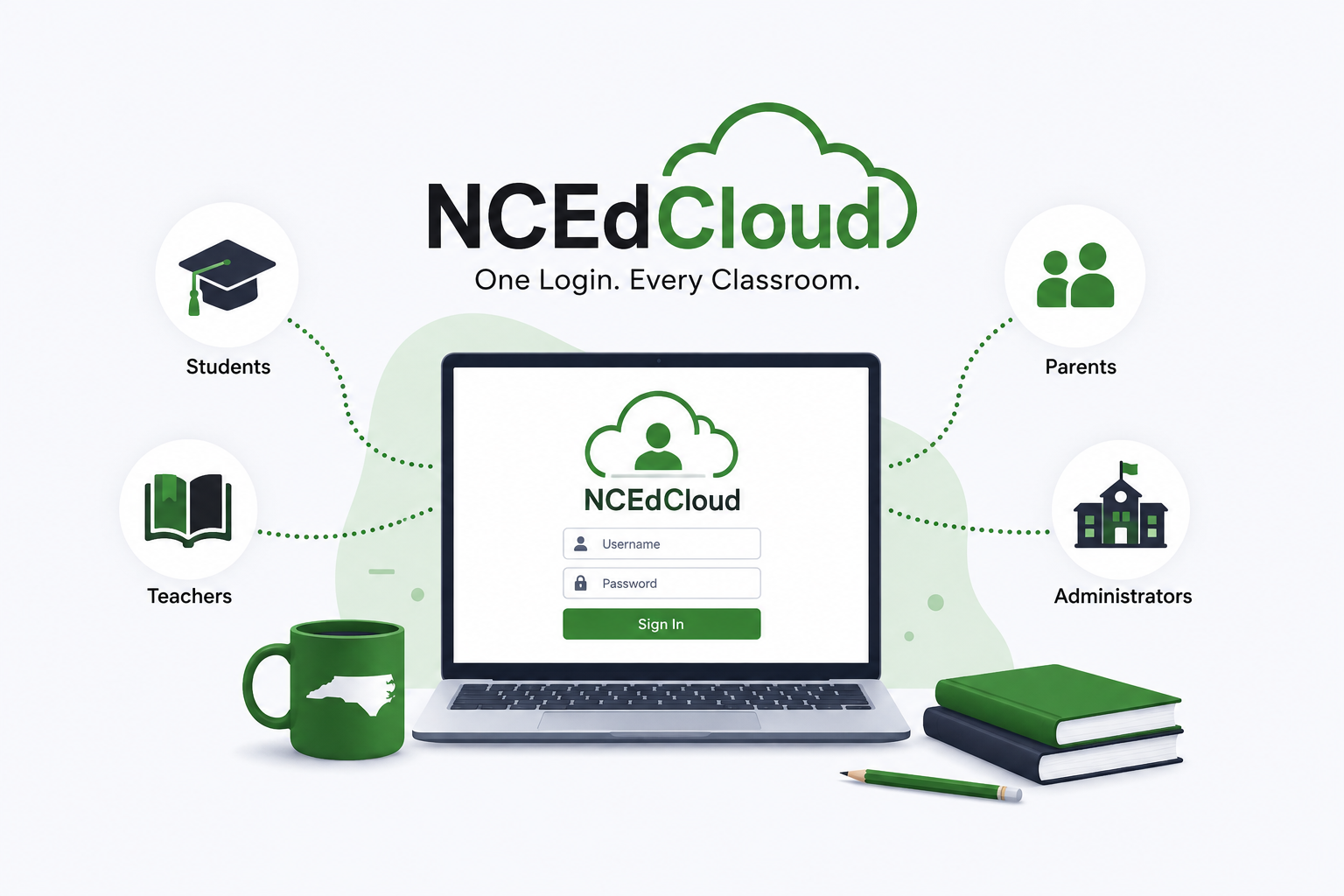
Anyone who has spent time inside a North Carolina public school — as a student, a teacher, a parent, or an IT coordinator — has bumped into NCEdCloud at some point. It’s the login screen that stands between a student and their homework portal, between a teacher and the gradebook, between a district administrator and the tools that keep an entire school system running. Yet despite how often people use it, very few actually understand what NCEdCloud is, why it exists, or how it works behind the scenes.
This guide breaks the platform down in plain language — no jargon, no fluff — so that the next time someone asks “what exactly am I logging into?”, you’ll have a real answer.
What NCEdCloud Actually Is
NCEdCloud stands for the North Carolina Education Cloud, and at its core it is a statewide identity and access management (IAM) system built for the state’s K-12 public education network. It was developed under the direction of the North Carolina Department of Public Instruction (NCDPI), in partnership with the nonprofit technology provider MCNC and the identity management company Identity Automation.
Before NCEdCloud existed, every school district in the state — more than 300 of them, counting charter schools — ran its own separate login systems, its own IT infrastructure, and its own account management process. That meant a student might need five or six different usernames and passwords just to get through a normal school day: one for the student information system, one for the learning management system, another for email, and so on. Security standards varied wildly from county to county, and maintaining all those disconnected systems was expensive for districts that were already stretched thin.
NCEdCloud replaced that patchwork with a single, centralized identity layer. One account. One username and password. Access to virtually every digital tool a school uses — PowerSchool, Canvas, Google Workspace, Microsoft 365, Discovery Education, SchoolNet, and hundreds of other integrated applications — through one dashboard known as the IAM Service.
How the System Works Under the Hood
The engine behind NCEdCloud is a platform called RapidIdentity, built by Identity Automation. When a student or staff member logs in at a portal such as my.ncedcloud.org, they aren’t authenticating against each individual application separately. Instead, they’re authenticating once against a centralized identity registry, and that single sign-on (SSO) session is then trusted by every connected application.
That registry pulls identity data from multiple authoritative sources across the state — student information systems, human resources databases, and district-level platforms — then cleans, standardizes, and de-duplicates the records before syncing them into a managed directory environment. This is what allows the system to scale to millions of accounts without collapsing into chaos. According to program updates shared with state oversight boards, the service now manages well over two million active accounts and processes hundreds of thousands of logins on a typical school day, connecting to thousands of individual application integrations across the state’s local education agencies (LEAs).
Why It Matters for Different Users
For students, NCEdCloud means one login gets them into everything their teacher assigns, without needing to remember a separate password for every app. Students in grades 6 through 12 (and parents, at districts that offer it) typically need to “claim” their account the first time they use it, verifying their identity before setting a personal password.
For teachers, the platform removes a huge amount of friction. Instead of manually creating accounts in a dozen different systems for thirty new students every fall, rosters sync automatically once the underlying student information system is updated. Teachers can also use self-service tools to reset student passwords or regenerate default credentials in bulk — by grade, by school, or across an entire district — which is especially useful at the start of a new school year.
For administrators, NCEdCloud provides a central dashboard to create, update, and deactivate accounts across an entire district. This is what makes it realistically possible to manage identity for hundreds of thousands of students and staff without needing a dedicated technician at every single campus. Administrators can also assign multi-factor authentication (MFA) requirements, control which applications specific roles can access, and pull real-time usage data to see how digital resources are actually being used.
Security: The Real Reason This System Exists
It’s worth pausing on the security side of things, because that’s genuinely the main driver behind NCEdCloud’s design, not just a side benefit. Centralizing identity management gives the state a single point of control for enforcing security policy across an enormous, decentralized network of schools. Instead of hoping every one of 300+ districts independently enforces strong password rules, the state can push consistent standards through one system.
Multi-factor authentication has become a major part of that effort. As of mid-2026, MFA is required statewide for staff at every login, not just at the districts that previously opted in voluntarily. The system has also expanded beyond basic time-based one-time passcodes (TOTP) to support WebAuthn, meaning staff can now authenticate using passkeys, hardware security keys, Windows Hello, or biometric options like Face ID and Touch ID instead of typing in a rotating code every time. For a system that effectively functions as the front door to a state’s entire K-12 digital infrastructure, that kind of layered security isn’t optional — it’s foundational.
Common Problems People Run Into
Most NCEdCloud complaints fall into a handful of predictable categories, and almost none of them mean the system itself is broken:
Login failures are usually caused by expired passwords, an unclaimed account, or simply typing credentials into the wrong portal — always confirm you’re on the official my.ncedcloud.org page rather than a bookmarked or third-party link, since credentials should never be entered anywhere else. MFA setup issues typically come down to a mismatched authenticator app or a device that hasn’t synced its clock properly, which throws off TOTP codes. And “my app isn’t showing up” issues almost always trace back to a permissions or role assignment made at the district level, meaning the fix has to come from a local administrator rather than the state system itself.
If you’re stuck, the fastest path is usually your school’s own IT help desk or LEA administrator, since account-level changes (password resets, role assignments, application access) are managed locally even though the underlying platform is statewide.
Final Thoughts
NCEdCloud isn’t just a login page — it’s the quiet infrastructure holding together digital learning for millions of students and staff across North Carolina. What looks like a simple sign-in screen is actually the visible tip of a much larger identity architecture designed to solve real problems: inconsistent security, wasted IT budgets, and unequal access to technology across rich and poor districts alike. As more instruction moves online and cyber threats targeting schools continue to rise, systems like this one are only going to become more central to how education gets delivered, not less. Understanding how it works — and why it’s built the way it is — makes it a lot easier to troubleshoot the occasional login hiccup instead of assuming something is broken.
If you manage or use accounts within this system regularly, it’s worth bookmarking the official resources below and checking in periodically, since features like MFA requirements and self-service tools continue to evolve year over year.
Related reading: NCEdCloud IAM Service Home for official login help and status updates, and the North Carolina Department of Public Instruction for broader state education policy.
