


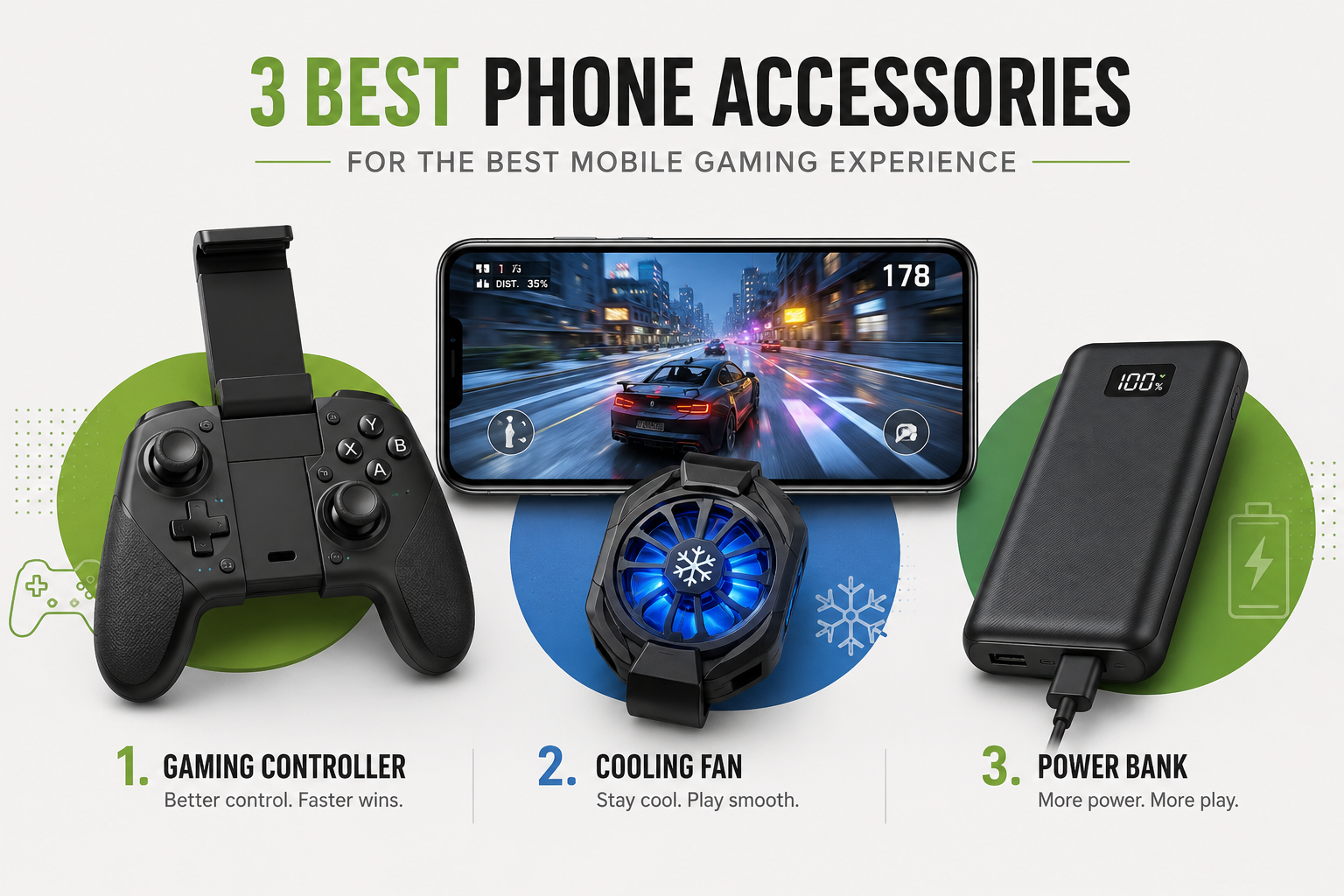
Mobile gaming has quietly become one of the most competitive and immersive forms of gaming in the world. Titles like PUBG Mobile, Call of Duty Mobile, Genshin Impact, and Free Fire aren’t just casual time-killers anymore — they’re full-blown esports ecosystems with tournaments, sponsorships, and millions of dedicated players. But here’s something most beginners don’t realize until they’ve lost a ranked match to lag or overheating: your phone alone isn’t enough to give you the best mobile gaming experience. The right accessories can be the difference between a smooth, competitive session and a frustrating one filled with dropped frames, sweaty palms, and a dead battery at the worst possible moment.
In this article, we’ll break down the three most important phone accessories every serious mobile gaming should own, why each one matters, and how to pick the right one for your needs — without turning this into a random product dump. If you’re the type of player who also cares about in-game rewards and redeem codes, our guide on redeem codes and how to get real value from them is worth a read once you’re done here.
Why Accessories Matter More Than You Think
Smartphone hardware has improved massively over the last few years, with chipsets like the Snapdragon 8 series and Apple’s A-series bionic chips pushing console-level graphics into your pocket. But raw power isn’t the whole story. Long gaming sessions generate heat, drain battery fast, and put real strain on your hands and grip — especially in games that demand quick reflexes and precise controls. That’s exactly where the right accessories step in, not as luxury add-ons, but as functional tools that directly affect your in-game performance.
Let’s get into the three accessories that matter most.
1. A Dedicated Mobile Gaming Controller
If there’s one accessory that transforms mobile gaming from “playable” to “genuinely competitive,” it’s a proper gaming controller. Touchscreen controls work fine for casual play, but they have real limitations — your thumbs cover part of the screen, precision suffers, and reaction time takes a hit compared to physical buttons and triggers.
A dedicated controller, whether it’s a clip-on style (like a gamepad that your phone slots into) or a wraparound design, gives you physical joysticks, shoulder triggers, and button mapping that mirrors a real console controller. Games like Call of Duty Mobile and Genshin Impact support native controller input, meaning you get analog stick precision for aiming and movement instead of relying on a virtual joystick that can slip under your thumb mid-fight.
Beyond raw performance, controllers also reduce hand fatigue. If you’ve ever gamed on your phone for more than 30-40 minutes, you know the cramping that comes from awkward thumb positioning on flat glass. A controller distributes grip pressure more naturally across your palm and fingers, similar to how console controllers are ergonomically designed.
When choosing a controller, look for a few key things:
Compatibility with your phone’s operating system (iOS and Android often require different Bluetooth or MFi certifications), a comfortable grip size that matches your hand, and low input latency so there’s no lag between your thumb press and the in-game action. Some higher-end options even include customizable button remapping and adjustable trigger sensitivity, which competitive players find useful in shooter games where split-second reactions decide the outcome.
If you’re curious about specific models and how they compare in real-world testing, resources like Android Authority’s gaming accessories reviews and Tom’s Guide regularly publish hands-on comparisons that are worth reading before you buy.
2. A Phone Cooling Fan (Cooler)
This is the accessory most casual gamers overlook — and it’s arguably just as important as the controller. Mobile games with high-end graphics push your phone’s processor and GPU hard, and that generates heat. Once your phone crosses a certain temperature threshold, most modern devices automatically throttle performance to protect the hardware. In practical terms, that means your frame rate drops, touch response becomes sluggish, and in extreme cases, the game might even force-close to prevent damage.
A phone cooling fan clips onto the back of your device (usually near the camera module) and uses a small fan, sometimes paired with a semiconductor cooling plate, to pull heat away from the processor. Some advanced models use thermoelectric cooling (Peltier plates) that can bring your phone’s back panel down to noticeably cooler temperatures within minutes of gameplay.
Why does this matter for competitive play specifically? Thermal throttling doesn’t happen gradually and predictably — it can kick in right in the middle of an intense firefight or a boss battle, exactly when you need consistent performance the most. A good cooler keeps your device running at peak clock speeds for longer, which translates directly into smoother frame rates and more consistent touch sensitivity.
When shopping for a cooler, prioritize noise level (some cheaper fans are surprisingly loud), battery life if it’s a wireless model, and compatibility with your phone case — many coolers require you to remove thick cases to clip on properly. If you’re playing graphically demanding titles like Genshin Impact or Diablo Immortal for extended sessions, a cooler isn’t a luxury; it’s practically essential.
3. A High-Capacity Power Bank
Nothing kills a gaming session faster than a battery warning at 15%. Mobile games are notoriously power-hungry because they combine high brightness screen usage, constant GPU rendering, active internet or Wi-Fi connections, and often haptic feedback — all draining your battery simultaneously. Add a cooling fan and Bluetooth controller into the mix (both of which also consume some power), and you can watch your battery percentage fall in real time during an intense session.
A high-capacity power bank solves this problem outright. Look for one with at least 10,000mAh capacity for a full day of extended play, though serious mobile gamers often prefer 20,000mAh options for tournament-length sessions or travel days without easy access to a wall outlet. Fast-charging support (like USB-C Power Delivery or Quick Charge 4.0+) is also worth prioritizing, since it means less time tethered to a charger and more time actually playing.
One underrated feature to look for is pass-through charging, which allows your phone to charge while you’re actively using it without damaging the battery over time through constant micro-cycles. Some gaming-focused power banks even include built-in phone stands or grips, which double as a hands-free way to prop up your device during long sessions.
If portability matters to you — say, you game during commutes or travel often — slimmer power banks in the 10,000mAh range with fast charging tend to strike the best balance between capacity and pocketability.
How to Choose the Right Combination for Your Setup
Not every gamer needs all three accessories at once, and it’s worth thinking about your specific habits before spending money. If you mainly play shooter or battle royale titles competitively, a controller should be your first investment since it directly impacts your win rate. If you play graphically intense RPGs or strategy games for hours at a stretch, a cooler will likely make the biggest difference in your experience. And if you’re someone who games on the go — during travel, commutes, or long days away from a charger — a power bank becomes non-negotiable.
For players who want the complete setup, many brands now offer bundles that combine a controller with a built-in cooling fan, which is a smart way to cover two needs with one purchase. It’s worth reading a few verified user reviews on marketplaces like Amazon before committing, since build quality varies significantly between budget and premium options. If budget is a concern, it’s also worth browsing smaller, wallet-friendly gadgets that pair well with a gaming setup — our roundup of affordable smart gadgets that make great gifts is a good place to start.
Final Thoughts
The best mobile gaming experience isn’t just about having a powerful phone — it’s about giving that phone the support it needs to perform consistently under pressure. A dedicated controller sharpens your precision, a cooling fan keeps your performance stable during long or graphically demanding sessions, and a reliable power bank ensures you’re never caught with a dead battery mid-match. Together, these three accessories address the most common pain points mobile gamers face: imprecise controls, thermal throttling, and battery anxiety.
You don’t need to buy all three overnight. Start with whichever accessory addresses your biggest frustration right now, and build your setup from there. Once you’ve got the fundamentals covered, you might also want to explore more of our tech reviews and gadget guides on TechPostify to round out a truly complete mobile gaming setup.
