


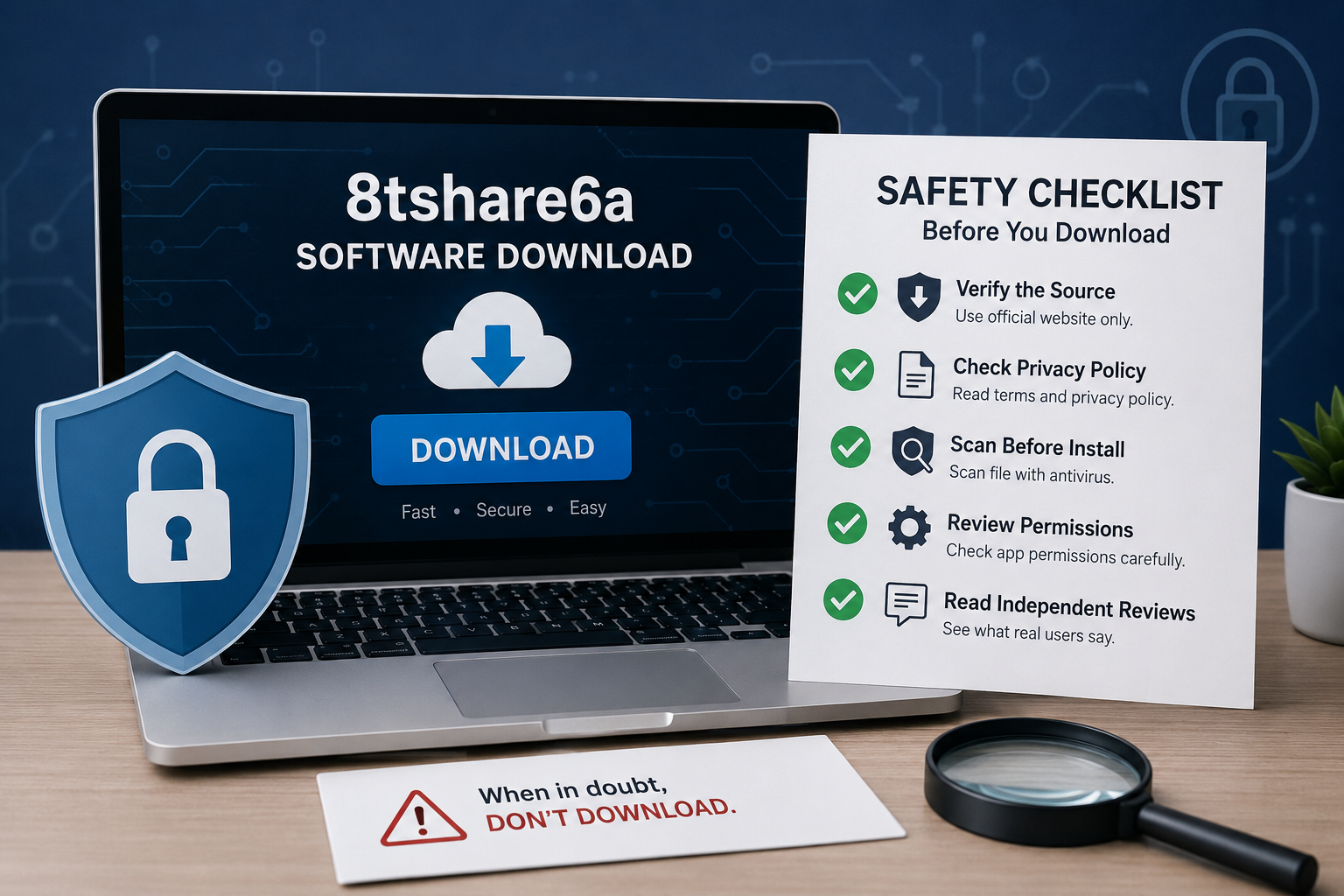
If you’ve searched for “8tshare6a software download,” you’ve probably noticed something odd — every result seems to describe a different product. One page calls it a file-transfer app with AI-powered encryption. Another calls it a media converter. A third describes it as a full productivity suite with cloud sync and automation tools. None of them agree on who actually built it, and none point to a single, consistent official website.
That inconsistency isn’t a coincidence, and it’s the single most important thing to understand before you go looking for a download link. This article walks through what’s actually known about 8tshare6a, why the confusion exists, and — more usefully — how to protect yourself whenever you’re downloading any unfamiliar software, not just this one.
What Is 8tshare6a, Really?
Here’s the honest answer: nobody can say for certain. Across dozens of articles and forum mentions, “8tshare6a” gets attached to file management tools, media conversion utilities, cloud storage apps, and even AI-driven file-sharing platforms. Some pages describe a desktop client; others describe a browser dashboard or a mobile app. There is no verified developer, no single official domain that consistently hosts the software, and no changelog or support page you can point to and say “this is the real one.”
That doesn’t automatically mean the name is fake or malicious. Sometimes a small or regional tool picks up an unusual name, gets mentioned on a few blogs, and then SEO content farms start writing “download guides” for it without ever actually verifying the product — because the search term itself started getting traffic. What you’re seeing online right now looks a lot more like the second scenario than a well-documented piece of software with a real support ecosystem behind it.
Why This Matters More Than It Seems
When a search term generates dozens of “how to download” articles but no consistent product page, pricing structure, or developer identity, that’s a pattern worth taking seriously. It’s the same pattern security researchers flag around fake VPNs, cracked software, and bundled adware installers: a catchy or unusual name spreads across low-authority sites, each promising a safe, fast download, while the actual installer — if you find one — may come from a third-party mirror rather than an official source.
Several existing write-ups about 8tshare6a openly warn about this. They mention third-party mirrors bundling adware, installers requesting unusual admin permissions, and the difficulty of confirming file integrity because there’s no consistent checksum published by a known developer. When multiple independent sources raise the same red flags, it’s worth listening.
How to Evaluate Any Unfamiliar Software Download
Whether or not you decide to go looking for 8tshare6a specifically, the habits below apply to any software you’re unsure about, and they’re worth building into a routine.
Start by trying to confirm a single, official source. A legitimate piece of software usually has one canonical website, consistent branding, and a visible company or developer name behind it — not five different blogs each describing a different feature set. If a basic search turns up more “download guide” articles than actual product pages, treat that as a warning sign rather than proof of popularity.
Next, look for a real privacy policy and terms of service. These documents should be specific: what data is collected, how long it’s stored, and who it’s shared with. Vague or missing policies are common in low-effort or malicious software because there’s nothing binding to disclose.
Before running any installer, scan it with updated antivirus software, and consider testing it in a sandbox or virtual machine first if you’re at all unsure. This isolates the program from your main system so that if something goes wrong, it doesn’t touch your real files, passwords, or accounts. Pay close attention to the permissions an installer requests — a simple file-conversion tool asking for administrator rights, access to your contacts, or background network access has no good reason to need those things.
Finally, check independent reviews outside the software’s own marketing pages. Look at neutral tech forums, established review sites, or security-focused communities rather than the promotional content that shows up alongside the download link itself. If real users are reporting bundled toolbars, unexpected pop-ups, or unremovable background processes, believe them over the marketing copy.
Safer Ways to Get the Features You’re Probably Looking For
If what drew you to 8tshare6a was file sharing, media conversion, or file management, the good news is that well-established, transparently maintained alternatives exist for all of these use cases, with public developer identities and long track records. For encrypted file transfer between devices, established tools with published security audits are worth comparing against anything with an unclear origin. For file management and batch conversion, mainstream operating system tools plus a small number of well-reviewed, actively maintained utilities usually cover the same ground without the uncertainty.
It’s also worth checking your own device’s built-in tools first. Windows, macOS, and most Linux distributions already include capable file management, compression, and basic media handling features, which means you may not need a third-party download at all for simpler tasks.
What to Do If You’ve Already Downloaded It
If you’ve already installed something called 8tshare6a and nothing seems obviously wrong, don’t panic — but don’t ignore it either. Run a full system scan with updated antivirus software, and review the list of installed programs and browser extensions for anything you don’t recognize. Check your task manager or activity monitor for background processes that seem unusually active. If your antivirus flags anything, or if you notice new browser toolbars, unexpected pop-ups, or unfamiliar outbound network activity, uninstall the program and change any passwords you entered on the same device around that time, particularly for email, banking, and cloud storage accounts. Tools like VirusTotal let you upload a suspicious installer file and have it checked against dozens of antivirus engines at once, which is a useful step if you still have the original file saved.
Final Thoughts
The honest answer about “8tshare6a software download” is that the term generates far more content than confirmed facts. That’s not a reason to panic, but it is a reason to slow down. The habits that protect you here — confirming a real publisher, reading permissions carefully, scanning before installing, and trusting independent reviews over promotional pages — are the same habits that protect you with any unfamiliar download, and they’re worth keeping regardless of which specific tool you’re considering. When in doubt, a slower, more verified download is always the safer one.
For a broader look at evaluating software safety, Google’s Safe Browsing site status tool lets you check a domain’s reputation before you visit it, and VirusTotal lets you scan a downloaded file against multiple antivirus engines at once.
